

Role
Research, conceptualisation, design, prototyping and dev-handoff of designs
Team
Product designer, product manager, UX researcher, 5 Engineers
Tools
Figma
Usertesting.com
summary
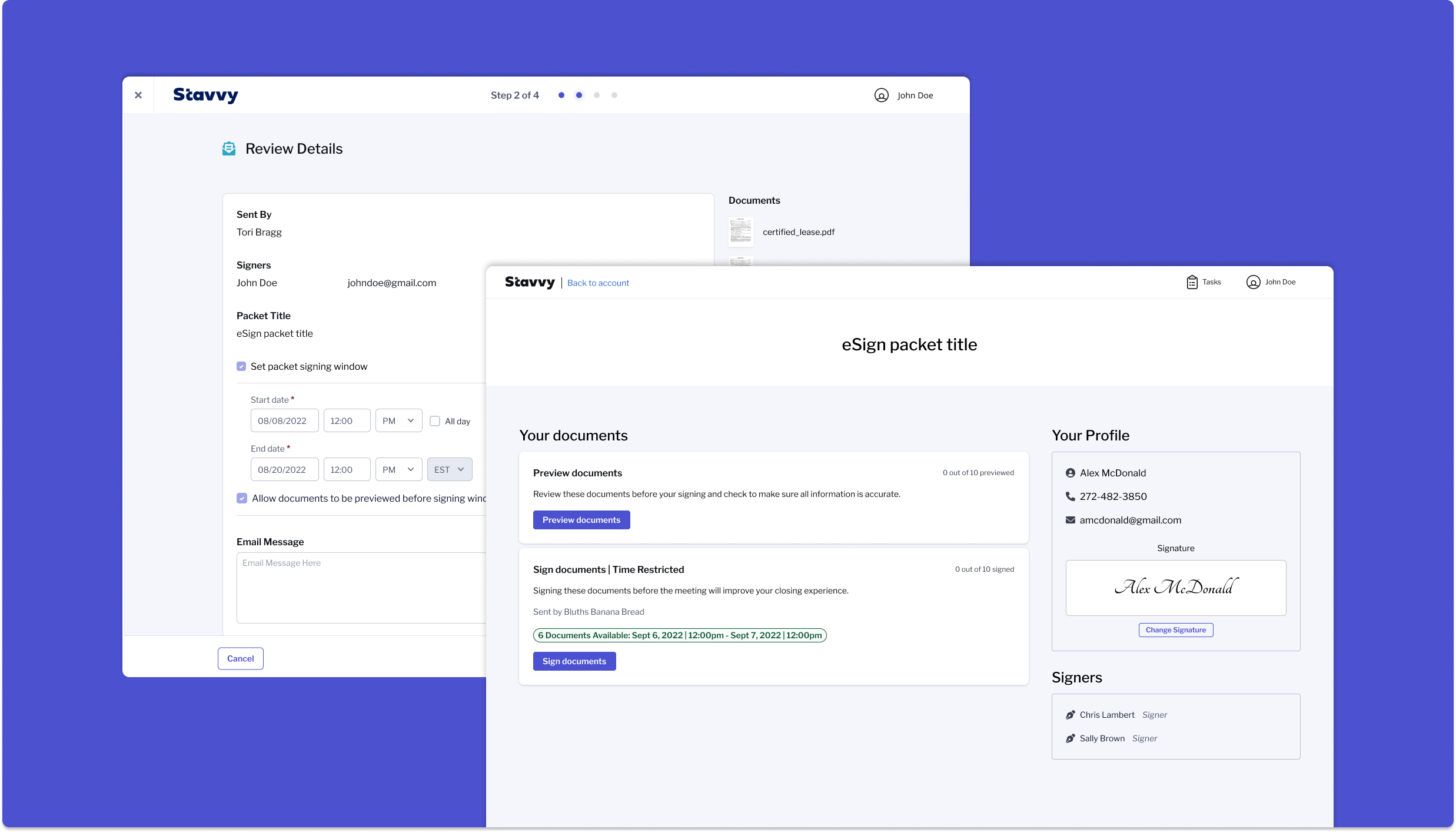
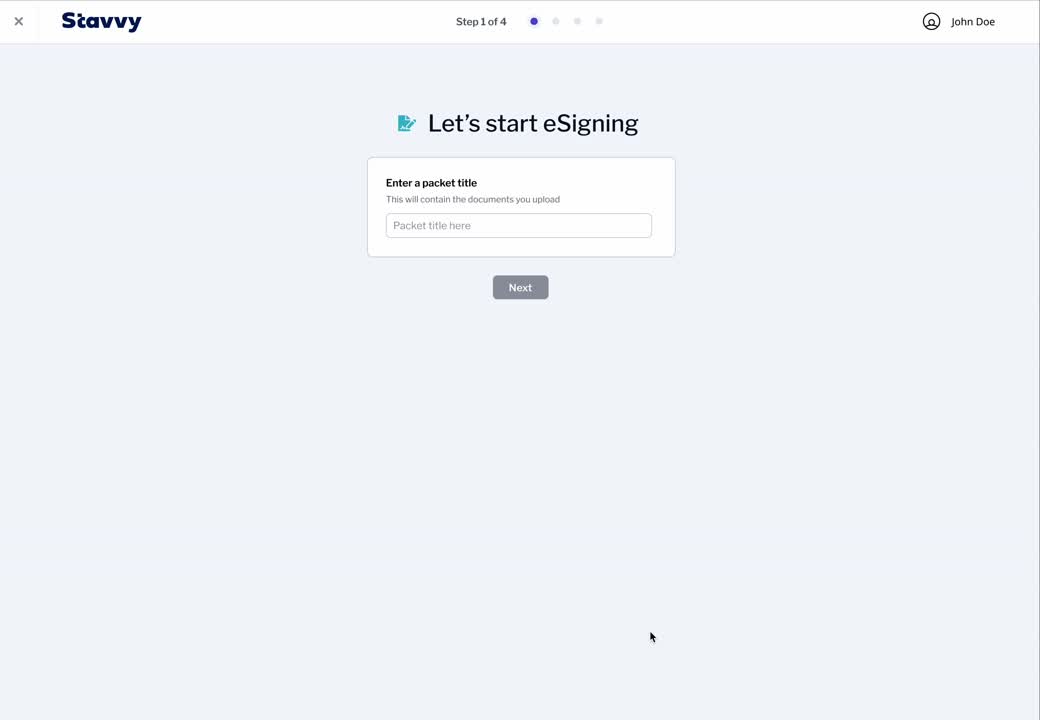
I started at Stavvy as the first in house designer and 18th employee. The original standalone eSign functionality was one of my first bigger projects. Banks and vendor companies mainly use stavvy's platform for their life cycle of loan origination - from uploading documents to closing on a home. At the time you could only access the ability to sign document through digital signing meetings which was causing frustrations for those who didn't aim to complete their closing digitally. We implemented a basic flow that would allow users to name a document packet, upload their documents, assign signers, place annotation fields, and send these to their signers to sign in our existing portal.
Due to a majority of customers being in the mortgage lending field, this later led to requests for more customization on when users would be able to see and sign these documents.
The problem
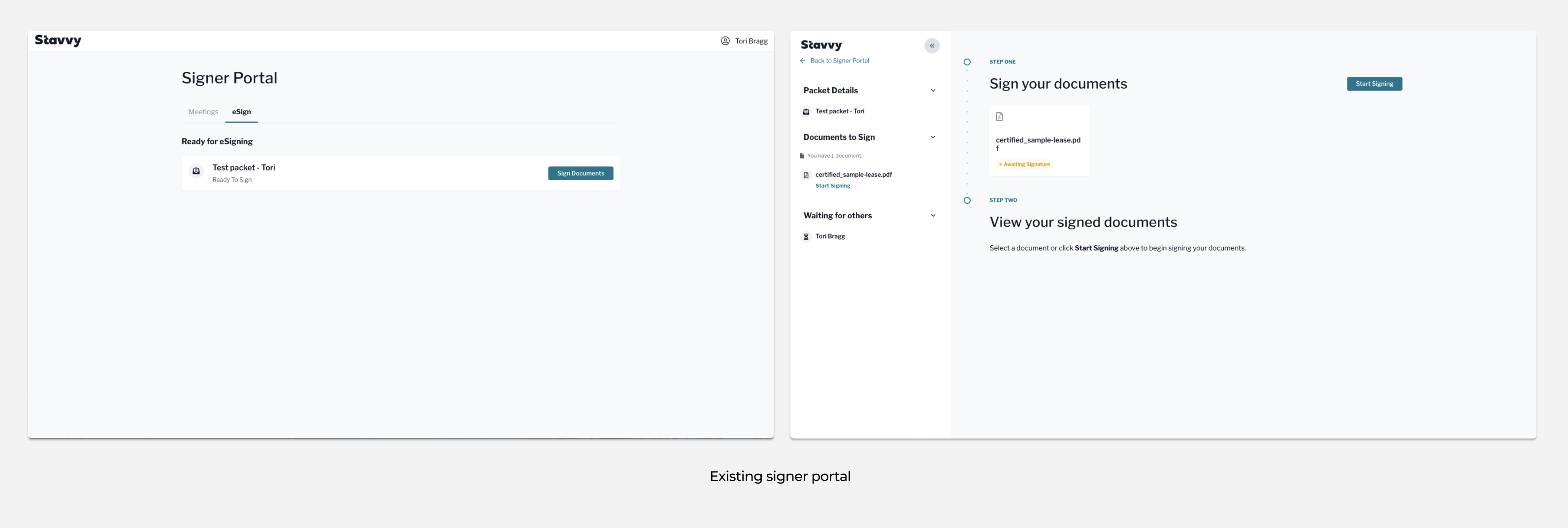
Users wanted more customization not only when creating their packets but also within the signer portal. The current signer portal was outdated, built without the ability to preview a document before signing, and lacked a clear step by step flow to guide the user both through a regular eSign experience and also when going through the steps to complete a mortgage closing.
THE GOAL
Based of the list of user requirements, we came up with 2 main goals.
• Add signing window and preview options to documents
• Redesign the signer portal and streamline the signers process
Since I would be updating eSign packets in the signer portal, I also had to make sure these changes would work for meetings as well.
THE PROCESS
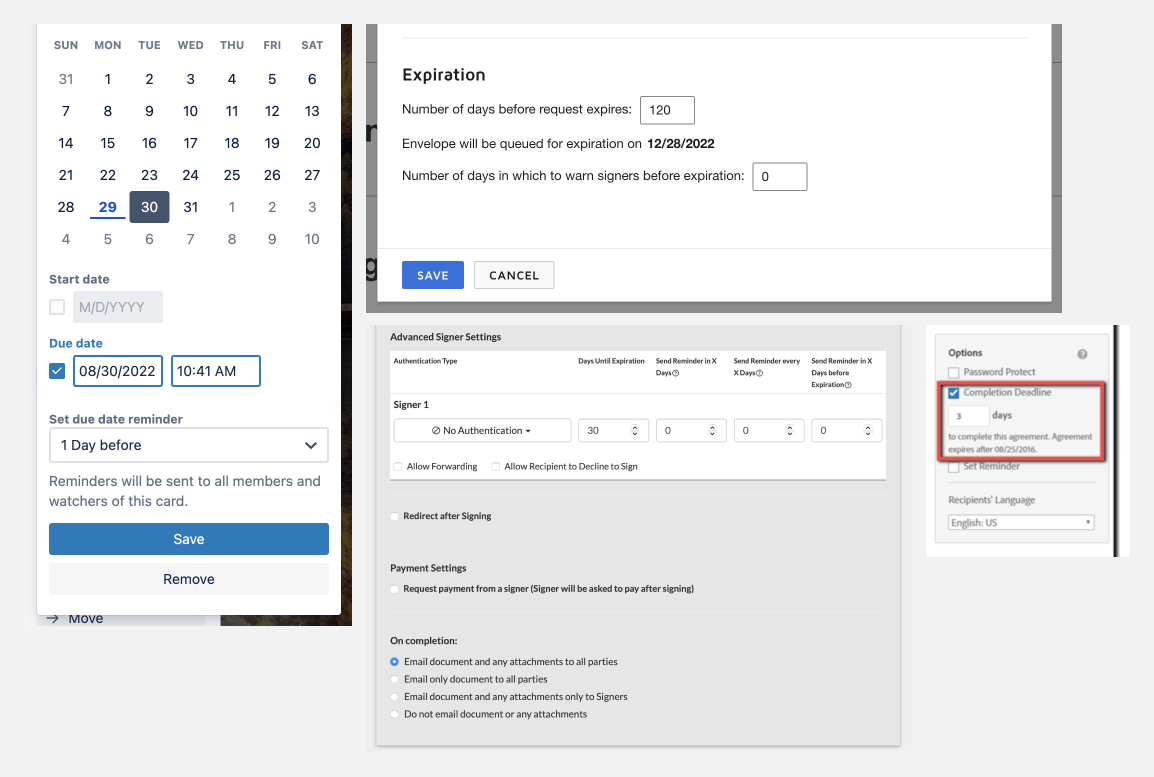
While splitting the project into two parts, I conducted audits on other platforms such as docu-sign, panda docs, hello sign, sign now, adobe sign, trello, and qualia.
User flows
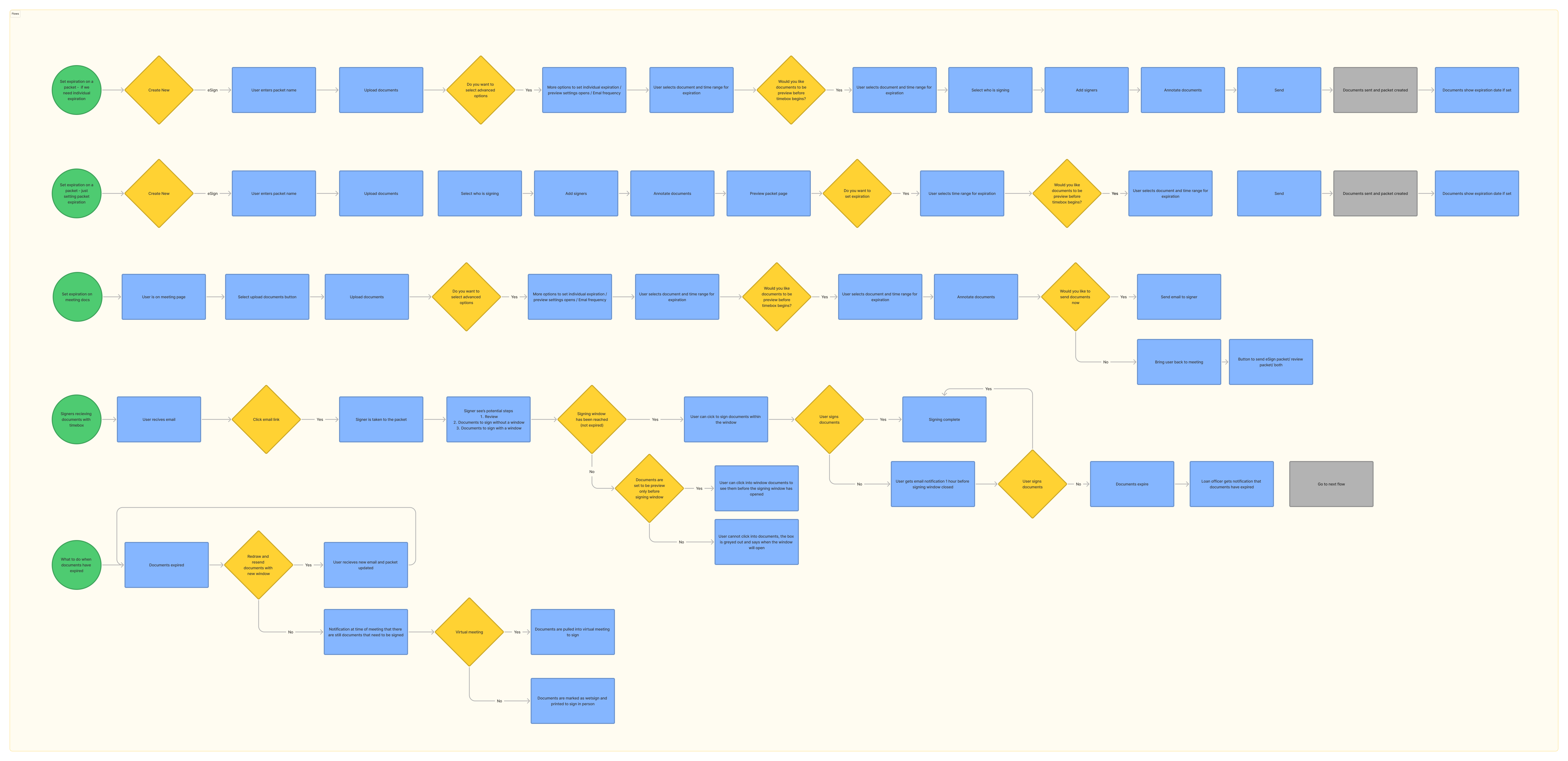
After collecting competitive research, I created preliminary flows for how to set packet expiration, what happens when documents expire, how users will receive documents that have a time box, and if individual document expiration is needed in the future.
BRAINSTORMING
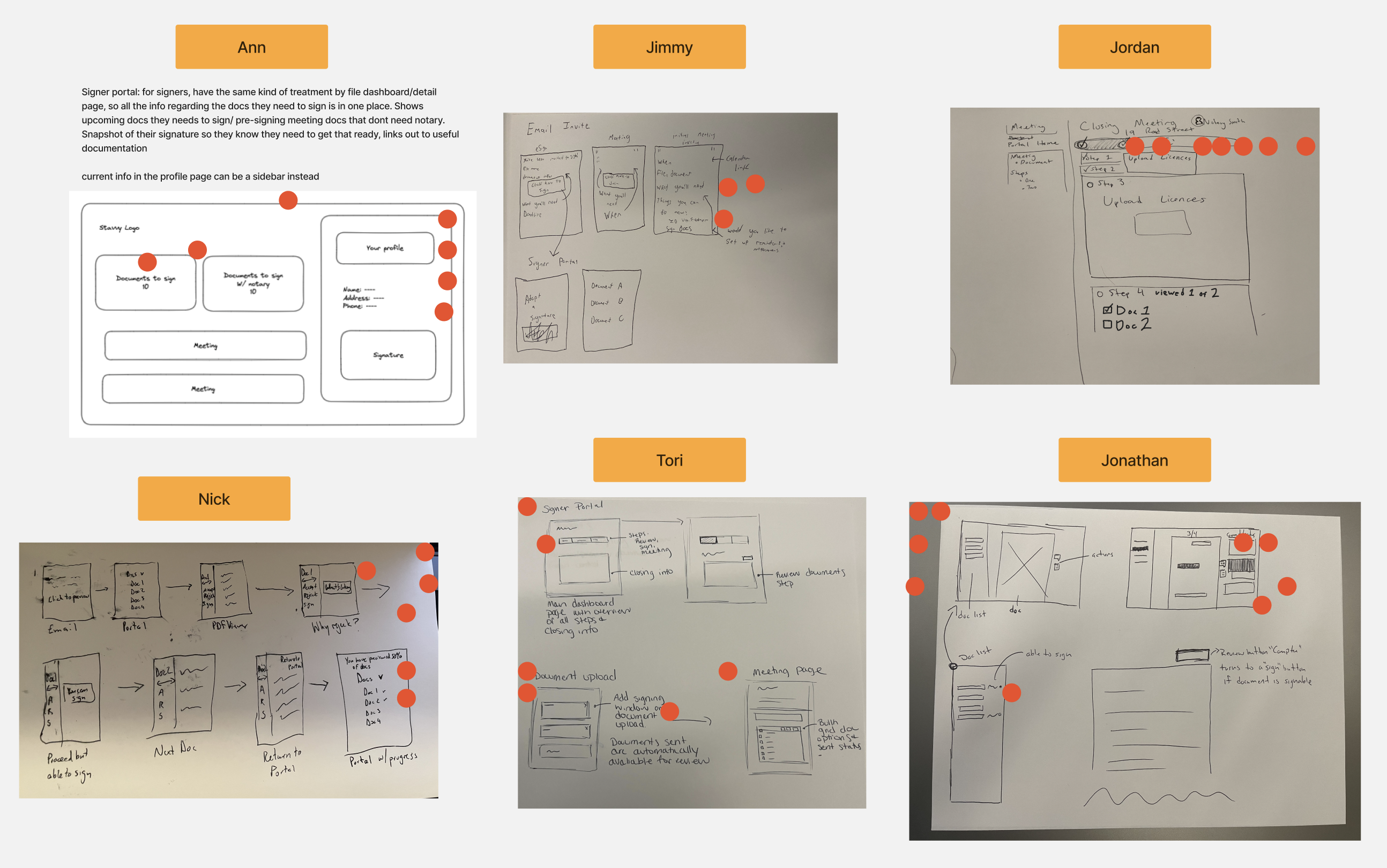
After pulling together flows I hosted a workshop with my PM and development team to gather ideas for the signer portal. We went through the existing signer portal and accumulated feedback and then moved on to sketching potential ideas of what each person would like to see based on the what information we had available and marked ideas we liked as a group.
ITERATING
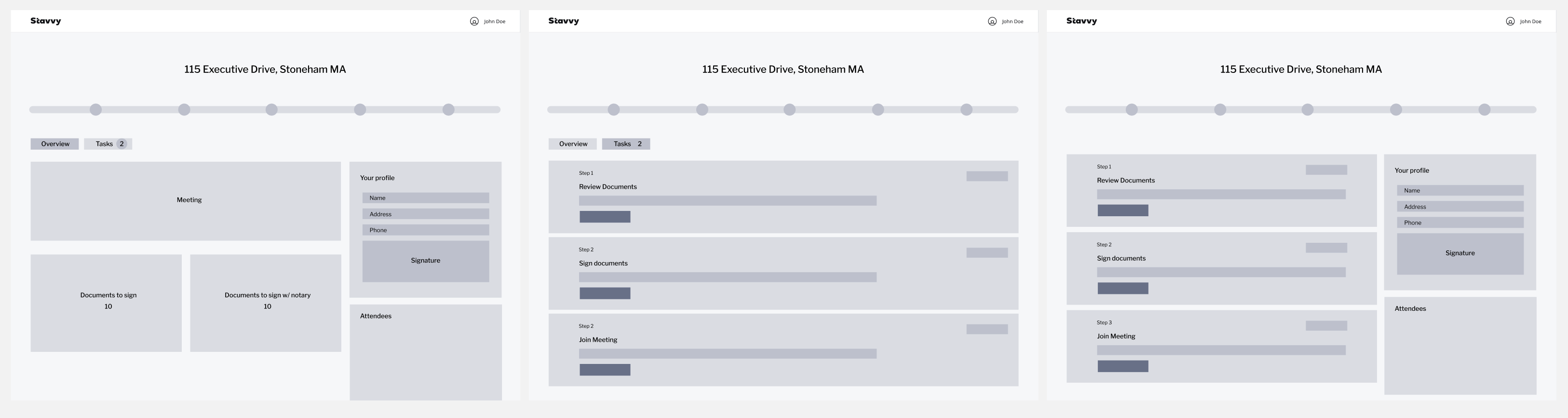
I went through multiple iterations, conversations, and testing. Some changes came about due to development constraints such as removing the idea of a pizza tracker.
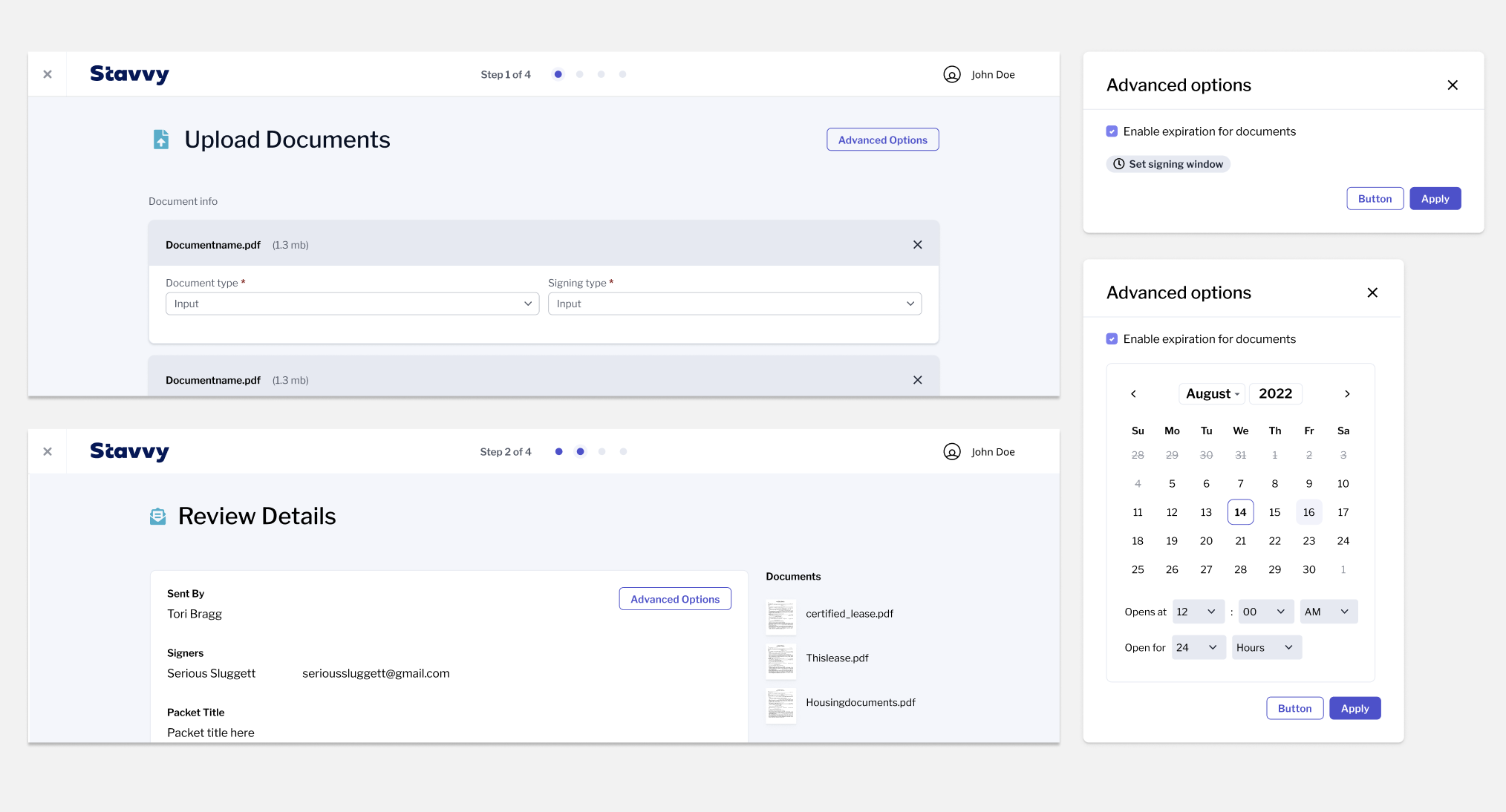
I went through many routes with settings expirations from hiding the ability set expiration behind a button to allowing a user to set individual expiration on each document. These options were too hidden and required too many clicks for the user when only one setting option was being added but were good potential explorations for the future.
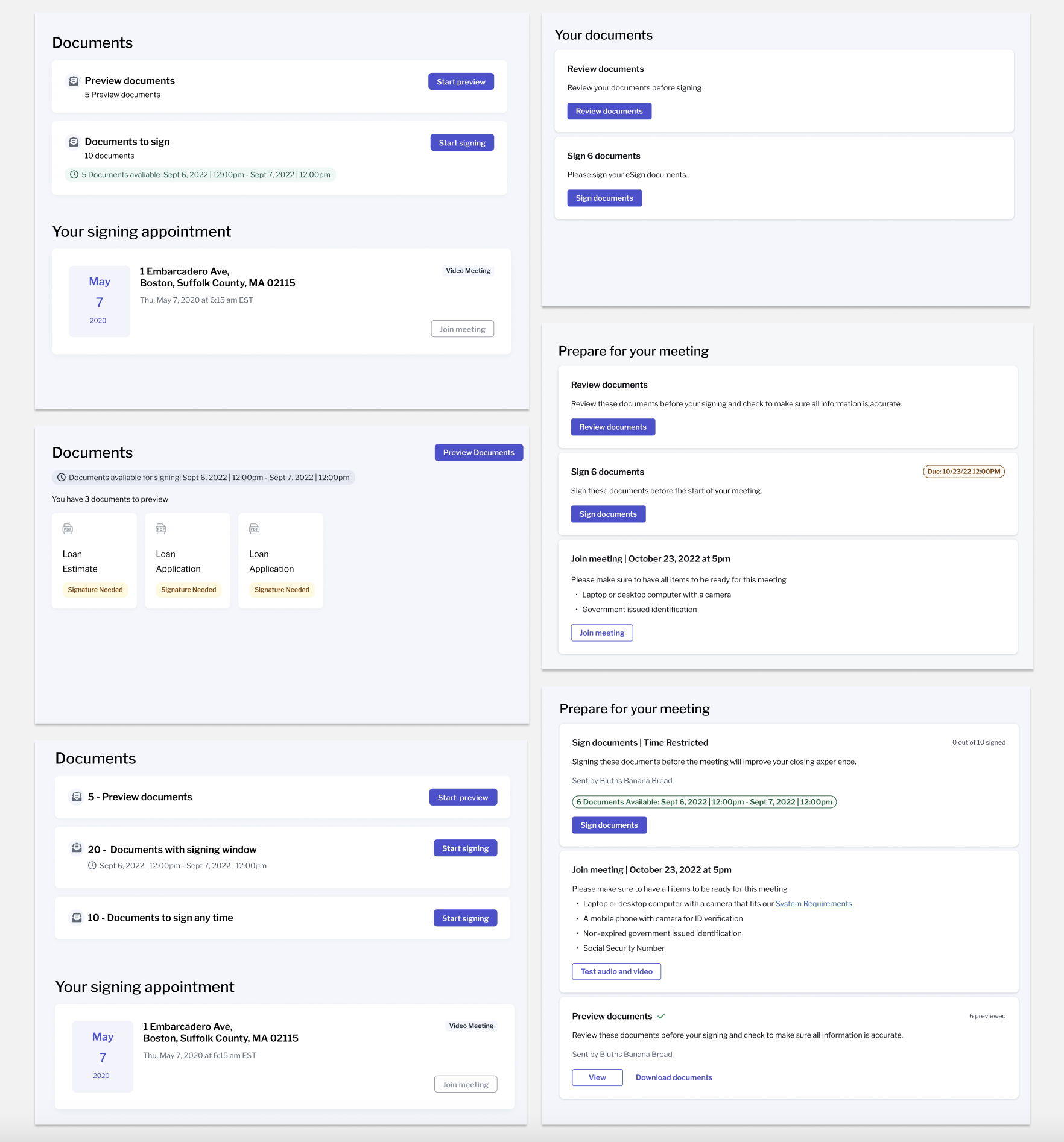
I experimented with many different card and wording iterations. Users preferred the versions that had very clear wording on what the current step is and what the next steps would be and our lender customers requested listing out which items users needed before joining a meeting so they knew what to prepare for their next steps after they are done signing documents.
Adding an option into the details page to allow setting expiration and sending documents to be previewed.
Allowing the user a more streamlined process. Once they receive an email to sign they are taken into the signer portal with clear next steps and timelines.
If a user receives multiple tasks to complete in Stavvy, they can access these by the tasks option in their top bar. Here they can view a lists of tasks they have to complete and any other documents or meetings they have been sent. When the user selects the task they are brought directly to the landing page for that packet or meeting.
Developer handoff
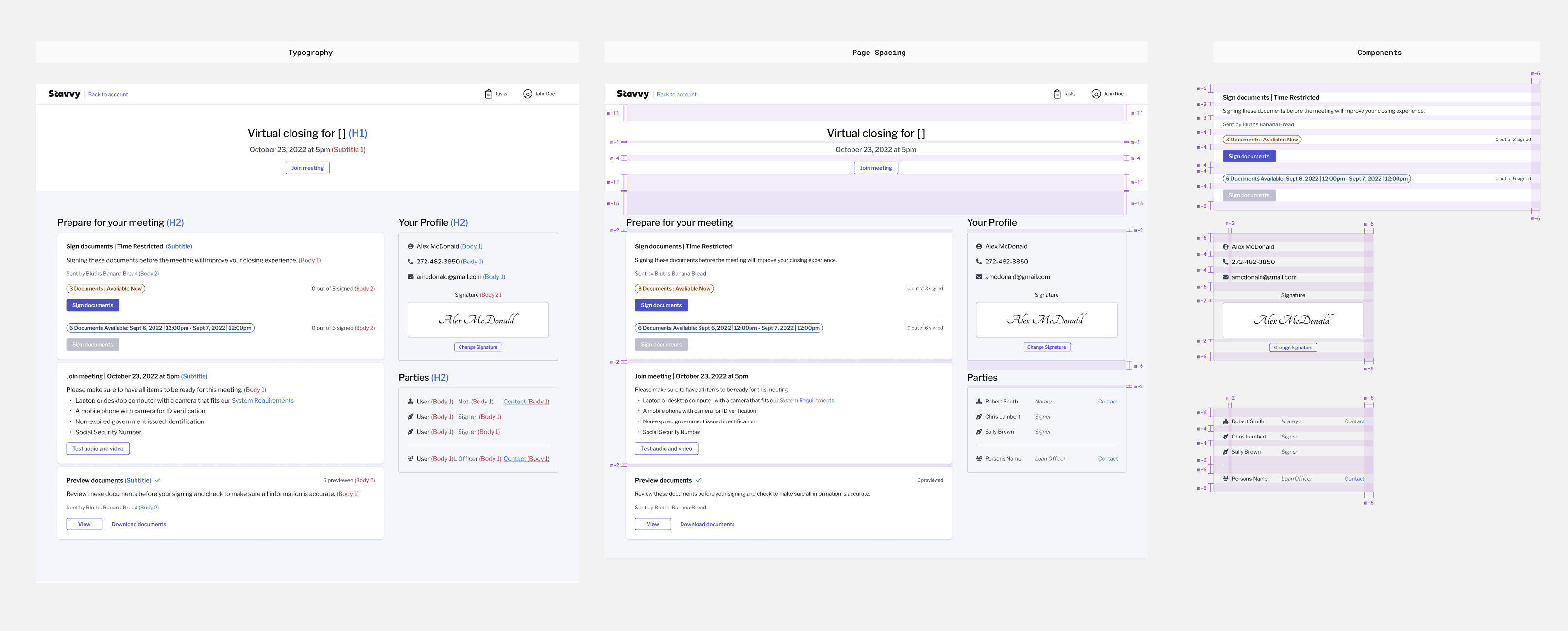
Below are some examples of guidelines handed off to development.
If you like what you see and want to work together, get in touch!
victoriaLbragg@gmail.com